
Bring your tools into view.
Agent dashboards, local services and provider information, together in a browser workspace you control.
Your tools, within reach.
Move between harnesses and dashboards in persistent browser tabs. Open services separately when embedding is unavailable.
Read the workspace guideA home for the tools you already run.
arnés is a local browser workspace for agent dashboards, services and provider information. It brings navigation and visibility together while each connected tool continues to run separately.
Start the local workspace
Download the source package, use Node.js 22 and follow the repository setup instructions. Configure the addresses of your own dashboards and local services.
Keep your tools close
Use persistent workspace tabs to move among harnesses and dashboards. Some sites cannot be embedded; open those in their own browser tab. arnés does not remove a tool’s own sign-in or configuration requirements.
Check services and providers
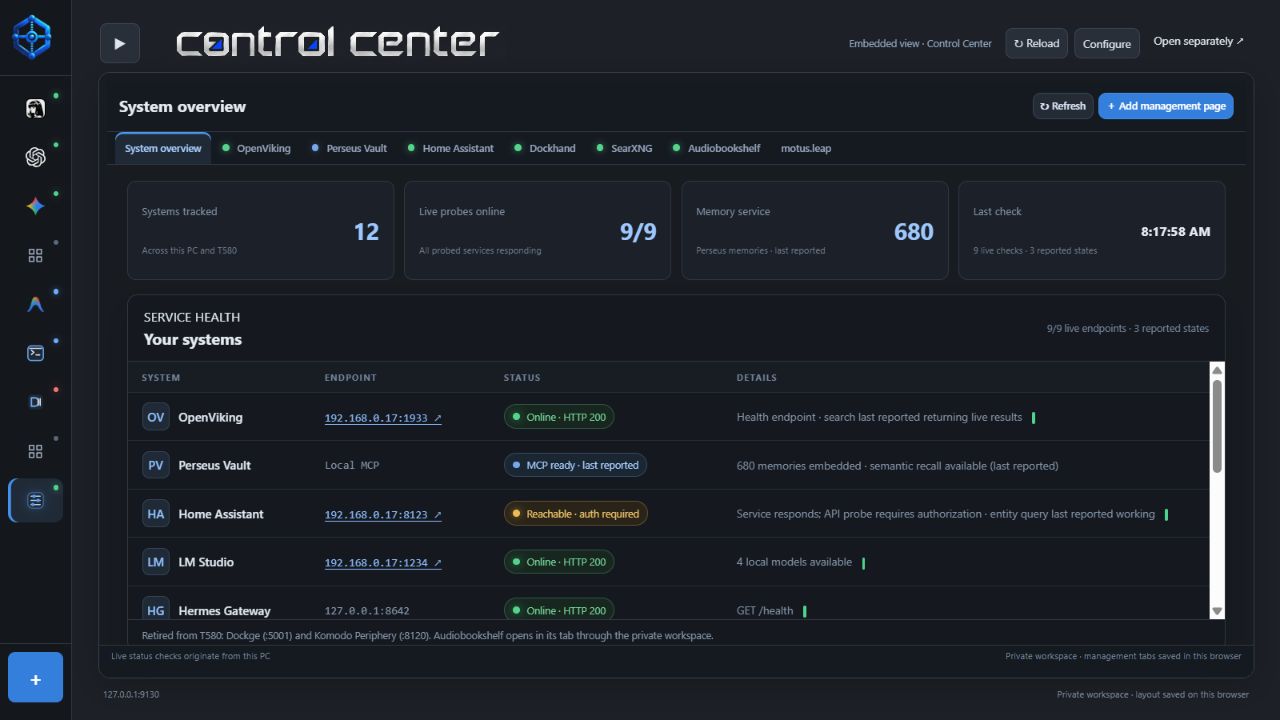
Use Control Center to inspect service responses, and browse the provider catalog for models and account consoles. Supported balances and usage need your own credentials; unavailable data is not a zero balance.
Workspace, not a bundled server fleet
The source package contains the workspace, not installations of every linked tool. Start connected services separately and replace the example addresses with your own. Historical screenshot statuses are not live probes from your machine.
Workspace setup and provider optionsGet arnés
Node.js 22 required. Source package, not a standalone executable. Configure services and credentials separately.